














How to access your Platincasino account
To access an existing account, open Platincasino and select the login option. Enter the credentials created during registration, then submit the form. Keep your details private and use only the official account area when managing your profile or wallet.
If you cannot remember your password, use the password-recovery option on the sign-in screen and follow the instructions shown there. After access is restored, the Profile area can be used to change your password and enable optional two-factor authentication.
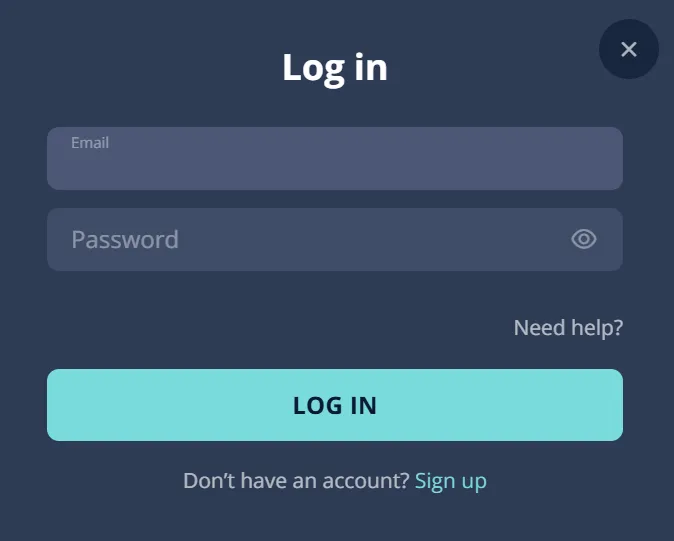
Open Login
Choose the login option on the official site.
Enter Credentials
Use the details created during your registration.
Submit Securely
Send the form to access your account.
Recover Password
Use the recovery option if you forget it.
Review Security
Update your password or enable two-factor authentication.
What the account area includes
After logging in, the account and profile area provides access to Deposit, Promo, Profile, Wallet and Game History. Profile information can include your email, name, nickname, date of birth, gender, country, city, address, postal code and mobile number.
Use these sections to review account information and manage the settings available to you.
See the Bonus page for current offers.
The Wallet area is the relevant place for balances and payment-related account actions.
Game History helps you review activity recorded on the account.
Only one player account is permitted. Keep profile details accurate, particularly if verification is requested before a withdrawal.
Keeping your login secure
Use a unique password for your Platincasino account and avoid sharing it with anyone. Sign in through the official site, especially when using a shared or public device. Once logged in, review Profile settings and change your password if you believe it may be known by somebody else.
Optional two-factor authentication for stronger account protection
Platincasino offers optional two-factor authentication through Google Authenticator or Authy. This adds a second check to account access alongside your password. Set it up only from the account security settings and keep your authenticator device available. If you change devices, make sure you retain the access information needed to continue using the authenticator.
Never provide your password or authenticator codes to another person.
Check the website address before entering account details or payment information.
Use your own device and avoid saving credentials on public computers.
Contact support if you notice activity you do not recognise.
Mobile login access
Platincasino is mobile-optimised, so you can access your account in a mobile browser using the same sign-in details. The service also provides a browser-installed web app. This is different from a confirmed native store app and is installed from your browser’s controls.
Install options
On Android, open the browser menu and select Add to Home Screen. On iPhone, open the site in Safari, use Share, then select Add to Home Screen. After installation, open the saved web app and sign in with your existing account details.
Use the official browser page before entering any login information.
Keep your phone protected with its own screen lock.
Two-factor authentication can provide an additional account-access check.
Visit the App page for details.
Verification documents and account access
Verification may be requested before a withdrawal. The process can cover identity, address and payment. Prepare clear documents that match the information held in your profile. Failure to cooperate with verification requests can result in the account being locked or closed.
Identity documents may include an ID card.
A passport or residence permit may also be accepted.
Address proof can be a utility bill or bank statement.
Address documents should show your name and address clearly.
The FAQ indicates that address documents should be under three months old.
Payment proof may include a bank statement, online banking screenshot, Skrill page or card verification.
Third-party payment methods are prohibited, so use a payment method in your own name when funding or withdrawing from the account.
Provide documents only through the official account or support process.
Check that profile details and document details match before submitting.
Account review status
Account checks can affect access to payment functions, particularly when a withdrawal is requested. Platincasino may ask for identity, address or payment verification. Keeping your registered details current and responding to requests through the official account process helps prevent avoidable delays. Do not create another account if a check is pending, as only one player account is allowed.
Identity, address and payment are the three listed verification areas.
Verification may be requested before a withdrawal is processed.
Inaccurate details can make document matching more difficult.
Support is available through Live Chat, Help Center and email.
Why access may be restricted
Access can be affected when account rules or verification requirements are not met. Platincasino permits one player account and prohibits third-party payment methods. Its Terms also prohibit VPN use to bypass provider blocks. If a restriction appears, use the official recovery or support route instead of opening a new account.
Account rules
- Only one player account is allowed.
- Third-party payment methods are prohibited for players.
- VPN bypassing of provider blocks is prohibited.
- Failure to cooperate with KYC can lock accounts.
Practical steps
- Check your email and password carefully.
- Use the password recovery option when necessary.
- Keep documents ready for verification requests.
- Contact support through Live Chat or support@platincasino.com.
Withdrawal access checks
Before requesting a withdrawal, make sure you can access the account and complete any verification request. The general minimum withdrawal is €20 or equivalent, although method-specific limits apply. Deposits generally need to be wagered three times before withdrawal under the Terms. Bank-transfer payouts are generally processed within three banking days.
Weekly withdrawals are limited to €7,500.
The monthly withdrawal limit is €15,000, subject to the applicable terms.
Wins above €15,000 may be paid in monthly instalments.
Use an account payment method in your own name and complete requested verification first.
Payment and account monitoring
Payment activity may lead to verification of identity, address and payment details. This is especially relevant before withdrawals. Use personal payment methods only, as third-party methods are prohibited. Keep account information accurate and be prepared to provide the requested documents through the official process.
Identity, address and payment verification may be requested.
A bank statement or online banking screenshot can support payment verification.
Skrill pages may also be used.
Card verification can be requested where applicable.
Documents should match registered profile information.
Failure to cooperate with verification can result in account restriction, locking or closure.
For account-specific questions, contact support through Live Chat, Help Center or support@platincasino.com.
Common login problems
If you cannot log in, first recheck the credentials entered and use the recovery option if you have forgotten your password. Avoid repeated guesses or creating a second account. If access remains unavailable, contact support through Live Chat, the Help Center or support@platincasino.com.
Before contacting support
- Confirm you are using the official website.
- Check spelling in your account credentials.
- Use password recovery for forgotten passwords.
- Do not share passwords or authentication codes.
When access persists
- Review whether verification has been requested.
- Keep relevant account documents available.
- Use Sign up only if you have no account.
- Contact support with a clear description of the access issue.
Account access warning
Platincasino is for players aged 18 and over. Keep account credentials, recovery details and authenticator codes private. Only one player account is allowed, and third-party payment methods are prohibited. If you receive a verification request, respond through the official account or support process with documents that match your registered information. VPN use to bypass provider blocks is prohibited. Gambling should remain entertainment and should not interfere with social, family or professional life. Personal deposit and loss limits, self-exclusion and support-assisted restrictions are available for responsible gambling.
Access your account responsibly
Sign in to manage your profile, wallet, security settings and available account tools.
FAQ
How do I log in to Platincasino?
Open the official Platincasino site, choose the login option and enter the credentials created during registration. Submit the form to access your account. If you cannot remember your password, use the recovery option shown on the sign-in screen.
What if I forgot my password?
Use the password-recovery option on the sign-in screen and follow the instructions displayed. Once access is restored, you can change your password in the Profile security settings.
Can I add extra login security?
Yes. Optional two-factor authentication is available through Google Authenticator or Authy. Enable it from the account security settings and keep your authenticator access information secure.