













How to access your Platincasino account
Use the Login button on the Platincasino website, then enter the credentials created during registration. Registration is free, and only one player account is permitted. Keep your sign-in details private and use the account area to manage your profile.
Once signed in, the profile area includes Deposit, Promo, Profile, Wallet and Game History. You can change your password there and, if desired, set up two-factor authentication with Google Authenticator or Authy for an additional account-security step.
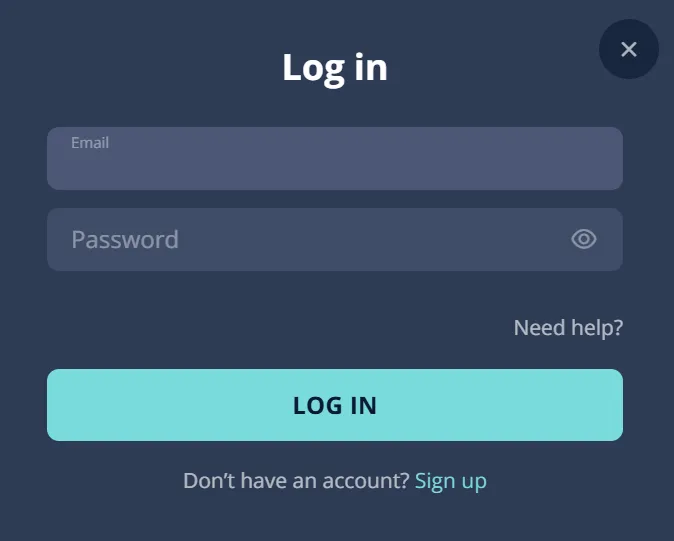
Open Login
Select Login from the website navigation to begin.
Enter Credentials
Provide the details linked to your registered account.
Confirm Access
Complete authentication if you have enabled it.
Visit Profile
Use Profile to review account information and security.
Request Help
Contact Live Chat or support@platincasino.com for assistance.
What you can manage after login
The Platincasino account area brings together several account functions. After login, players can access Deposit, Promo, Profile, Wallet and Game History. Profile information can include email, name, nickname, date of birth, gender, country, city, address, postal code and mobile number.
Use the Profile section for account details and password changes. Wallet and Deposit provide access to payment-related account functions.
See current bonus information before making a deposit.
A public promo code is not currently confirmed. Check the Promo area for account-related information.
Game History can help you review activity connected with your account.
Account currencies include CAD, alongside EUR, USD and several supported digital currencies. Choose only details that accurately match your own account.
Keep your Platincasino login secure
Protect your credentials by using a unique password and keeping it private. Platincasino offers optional two-factor authentication through Google Authenticator or Authy. Enable it from the security settings if you want an additional verification step when accessing your account.
Password and authentication good practices
Use a password that is not reused for other services, and avoid sharing it with anyone. Review the address bar before entering credentials and sign out on shared devices. If two-factor authentication is enabled, keep access to your authenticator app secure and update your password from Profile when necessary.
Never provide account credentials to another person or service.
Use the official website address before entering your sign-in details.
Two-factor authentication is available through Google Authenticator or Authy.
For account help, use Live Chat or support@platincasino.com.
Mobile login at Platincasino
Platincasino is mobile-optimized, so you can access the website and sign in through a mobile browser. The service also provides a browser-installed web app. This is distinct from a confirmed native store app, so use your device browser when setting up access.
Add web app
On Android, open the browser menu and choose Add to Home Screen. On iPhone, open the website in Safari, use Share, then select Add to Home Screen. After installation, open the saved web app and sign in with your existing credentials.
Keep your browser and device protected with their available security settings.
Avoid saving passwords on devices that other people can access.
Use the same account credentials when accessing the browser-installed web app.
Read the mobile guide for details.
Verification documents and account access
Platincasino may request verification before a withdrawal. The verification process can cover identity, address and payment. Prepare clear documents that match the information in your account profile, and respond to requests promptly because failure to cooperate can result in an account being locked or closed.
Identity: ID card, passport or residence permit.
Address: utility bill, phone bill or bank statement.
Address documents should show your name and address.
The FAQ indicates address documents should be under three months old.
Payment verification can include a bank statement, online banking screenshot, Skrill page or card verification.
Third-party payment methods are prohibited, so use payment details connected to you.
Keep profile details accurate before submitting documents. Information in the account profile includes your name, address, country and mobile number, helping the verification review compare your account and documents.
Verification may be requested before your withdrawal is processed.
Contact support if you need clarification about a document request.
Account status and access
A successful login gives access to account tools, but some actions can require further review. Verification may be requested before a withdrawal, and the review can include identity, address and payment information. Use accurate profile details, avoid third-party payment methods and keep documents ready when asked.
Only one player account is allowed at Platincasino.
The service is for people aged 18 or older.
VPN use to bypass provider blocks is prohibited.
Support is available through Live Chat and support@platincasino.com.
Why account access may be restricted
Account access can be affected when a requested verification review is incomplete or when account rules are not followed. Keep your profile current, use payment methods in your own name and respond carefully to support requests. If you cannot sign in, contact support rather than creating another account.
Account rules
- Only one player account is allowed per player.
- Third-party payment methods are prohibited for account use.
- VPN use to bypass provider blocks is prohibited.
- Players must be 18 or older to use Platincasino.
Verification checks
- Identity, address and payment verification may be requested.
- Failure to cooperate can lock or close accounts.
- Provide documents that match your account information.
- Ask support for help if a document request is unclear.
Withdrawal access
Login is required to use account payment functions, including withdrawals. The general minimum withdrawal is €20 or equivalent, although method-specific limits apply; a Skrill example shows a €50 minimum. Withdrawals are subject to verification requests and normal account rules. Bank-transfer payouts are generally processed within three banking days.
Weekly withdrawals are limited to €7,500.
The monthly withdrawal limit is €15,000 under the stated terms.
Wins above €15,000 may be paid in monthly instalments.
Deposits generally must be wagered three times before withdrawal under the Terms of Service.
Account checks and payment rules
Platincasino can request identity, address and payment verification before a withdrawal. These checks help connect account information with the person and payment method being used. Third-party payment methods are prohibited, so maintain accurate details and use payment information that belongs to you.
Identity documents can include an ID card, passport or residence permit.
Address proof can be a utility bill, phone bill or bank statement.
Address documents should show your name and address.
Payment proof can include a bank statement or banking screenshot.
A Skrill page or card verification may also be accepted.
Responding to verification requests is important because non-cooperation can lock or close an account.
Use Live Chat or support@platincasino.com when you need help understanding a verification request.
Troubleshooting Platincasino login problems
If you cannot access your account, first check that you are entering the credentials associated with your registration. If the issue continues, use the available support channels. Do not open a second account, because Platincasino permits only one player account per player.
Before contacting support
- Check that your email and password are entered correctly.
- Complete two-factor authentication if it has been enabled.
- Use the password-change option in Profile when signed in.
- Check that you are using the correct account details.
Getting assistance
- Use Live Chat for direct account-access assistance.
- Email support@platincasino.com with your question.
- Do not register another account to resolve access issues.
- Keep requested verification documents ready if support asks you to complete a review.
Important account reminder
Platincasino is intended for players aged 18 or older. Keep gambling as entertainment and do not let it interfere with social, family or professional life. Personal deposit and loss limits, self-exclusion and support-assisted restrictions are available as responsible-gaming tools. If you need help with a restriction, contact support@platincasino.com. Account security also matters: keep login details private, use a unique password and consider optional two-factor authentication through Google Authenticator or Authy. Only one player account is allowed, and third-party payment methods are prohibited.
Access your Platincasino account
Sign in to manage your profile, wallet, deposits, promotions and game history. Use support if you need account help.
FAQ
How do I log in to Platincasino?
Open the Platincasino website, select Login and enter the credentials created during registration. If you have enabled two-factor authentication, complete that step as well. Once signed in, the account area includes Deposit, Promo, Profile, Wallet and Game History.
Can I recover a forgotten password?
Password changes are available in the Profile area after login. If you cannot access your account to make a change, contact Live Chat or support@platincasino.com for account assistance.
Does Platincasino offer two-factor authentication for login?
Yes. Optional two-factor authentication is available through Google Authenticator or Authy. It can provide an additional verification step when you access your account.